
Stellar Retail
Stellar Retail is an offline-first desktop POS for supermarkets, general stores, electronics, clothing, phone and cosmetics shops. It covers barcode selling with cartons and weighed items, a traceable stock ledger, purchasing with supplier accounts, customer credit, cash sessions at every till and a full set of reports. It runs entirely on your computer in Arabic and English.
71+ more features
Why it stands out
Scan and sell
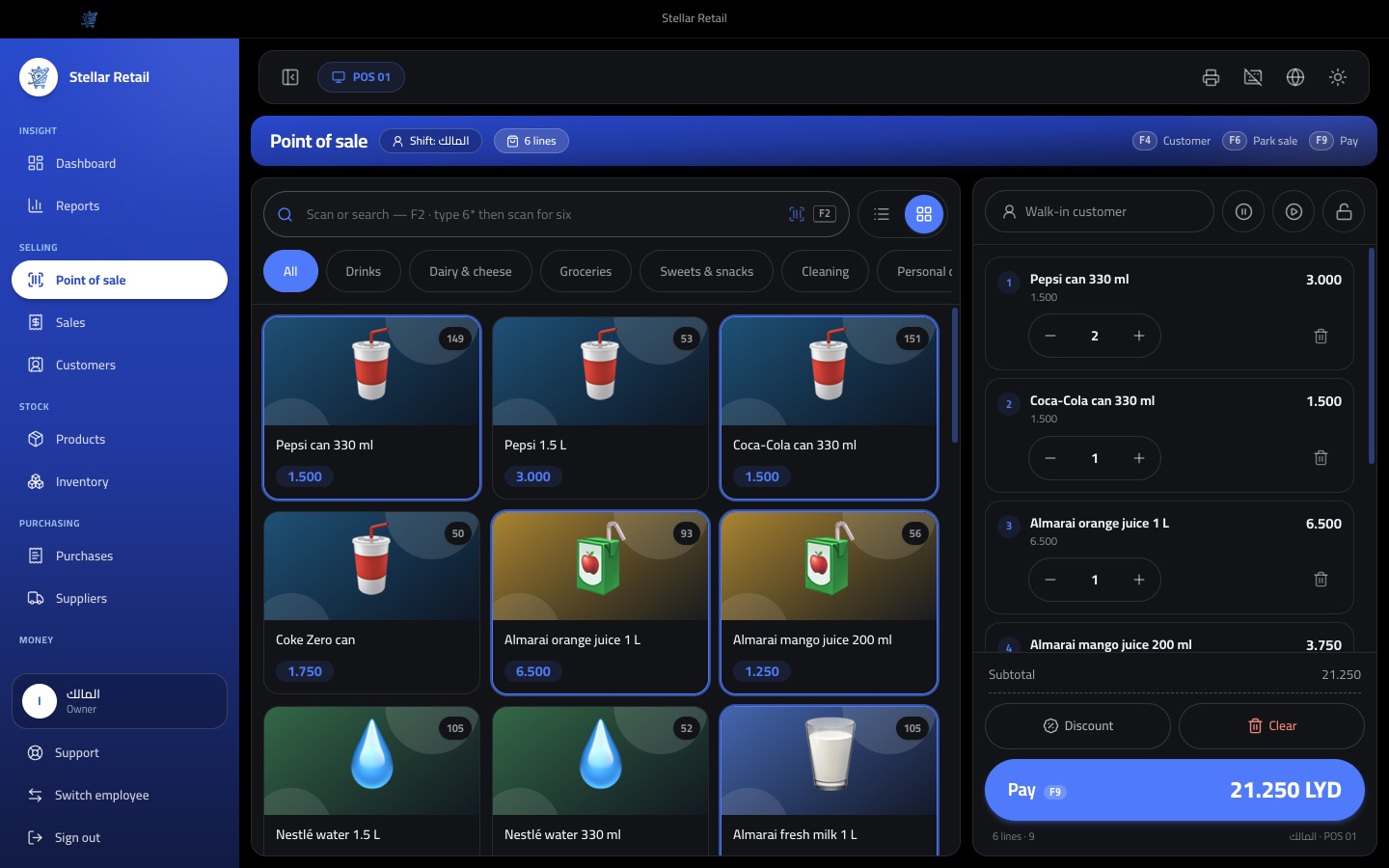
Every barcode scan adds the item to the sale instantly, and typing 6* before a scan adds six at once.
Cartons, units and weights
Sell a piece, a carton or a weighed item from the same product, with each unit keeping its own barcode and price.
Stock you can trust
Every purchase, sale, return, damage and count writes a movement to an insert-only ledger, with an integrity check that proves the totals.
Cash sessions per till
Each cashier counts the drawer to start and close a session, takes over from the previous shift, and every difference is recorded under the right person.
Credit and supplier accounts
Sell on account to customers with a credit limit, record their payments, and track what you owe each supplier with full statements.
Control without friction
Roles with 59 permissions, manager PIN approval at the till and an audit log keep prices, discounts and voids under control.
Inside the app
Everything it can do
Point of sale
- Scan or search by name, SKU or barcode, with F2 to focus the search box and a grid or list view
- Quantity stepper, typed quantities and a 6* multiplier before a scan
- Weighed items entered by weight, and cartons or packs sold as their own unit
- Park a sale with a label and resume it later, with prices refreshed to today's
- Walk-in or named customer, with quick add by name and phone
- Cash with change, card, bank transfer, other methods and split payment across methods
- Out-of-stock items are blocked at the grid, and low stock is flagged on the line
- Open the cash drawer without a sale, and an on-screen keyboard for touch tills
Pricing, discounts and returns
- Line discounts and whole-sale discounts by percent or amount, limited per role
- Automatic product discounts, with optional start and end dates
- Price override at the till, with a minimum selling price per product
- Manager approval by PIN for below-minimum prices, large discounts, voids and returns without a receipt
- Tax rates with prices that include or exclude tax, and optional cash rounding
- Return from a receipt by scanning its barcode, or without a receipt when allowed
- Refund to the original payment, to another method or as store credit, with a configurable return window
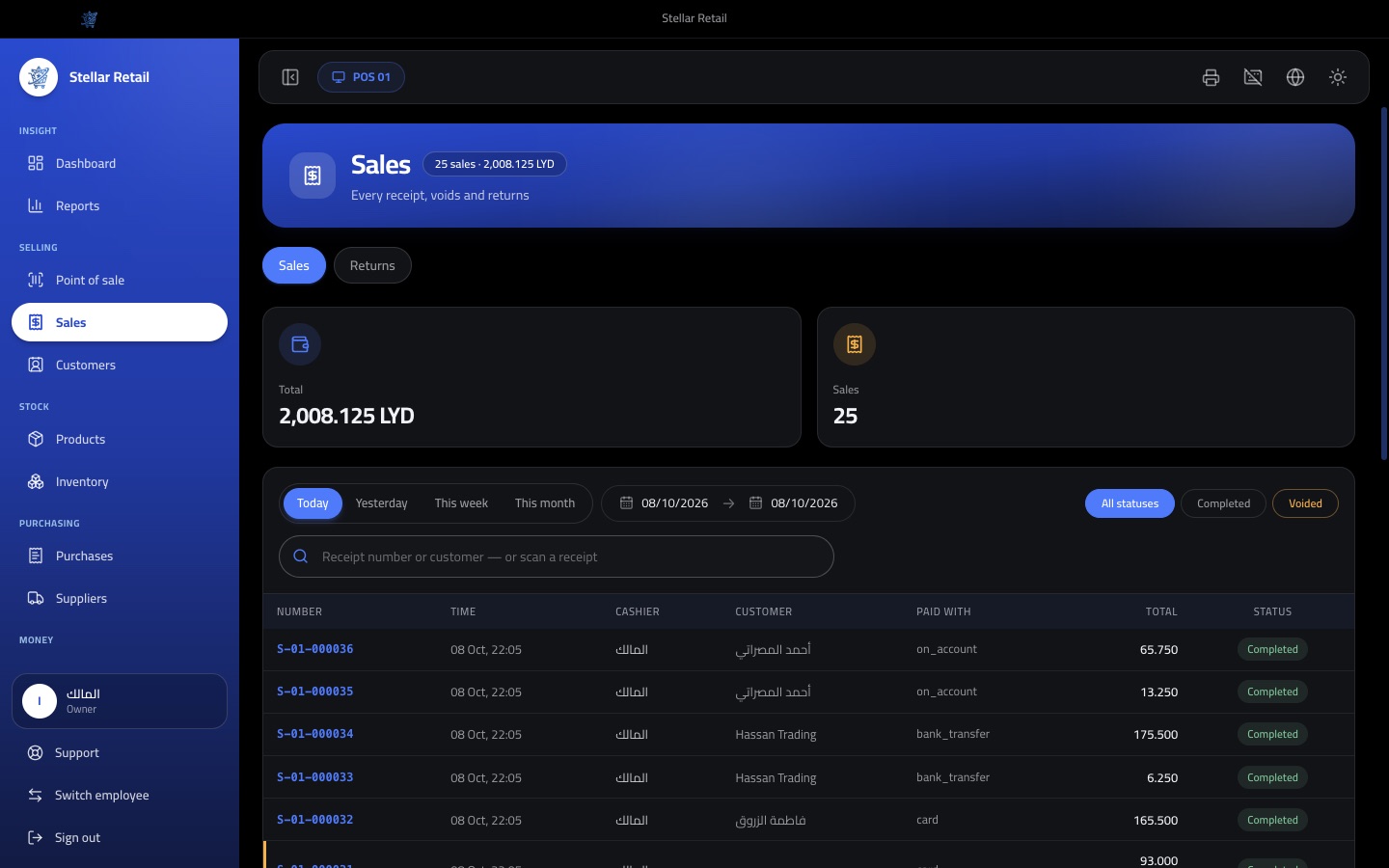
- Void a sale on the same open day with a reason, putting stock back and refunding the payment
Customers and credit
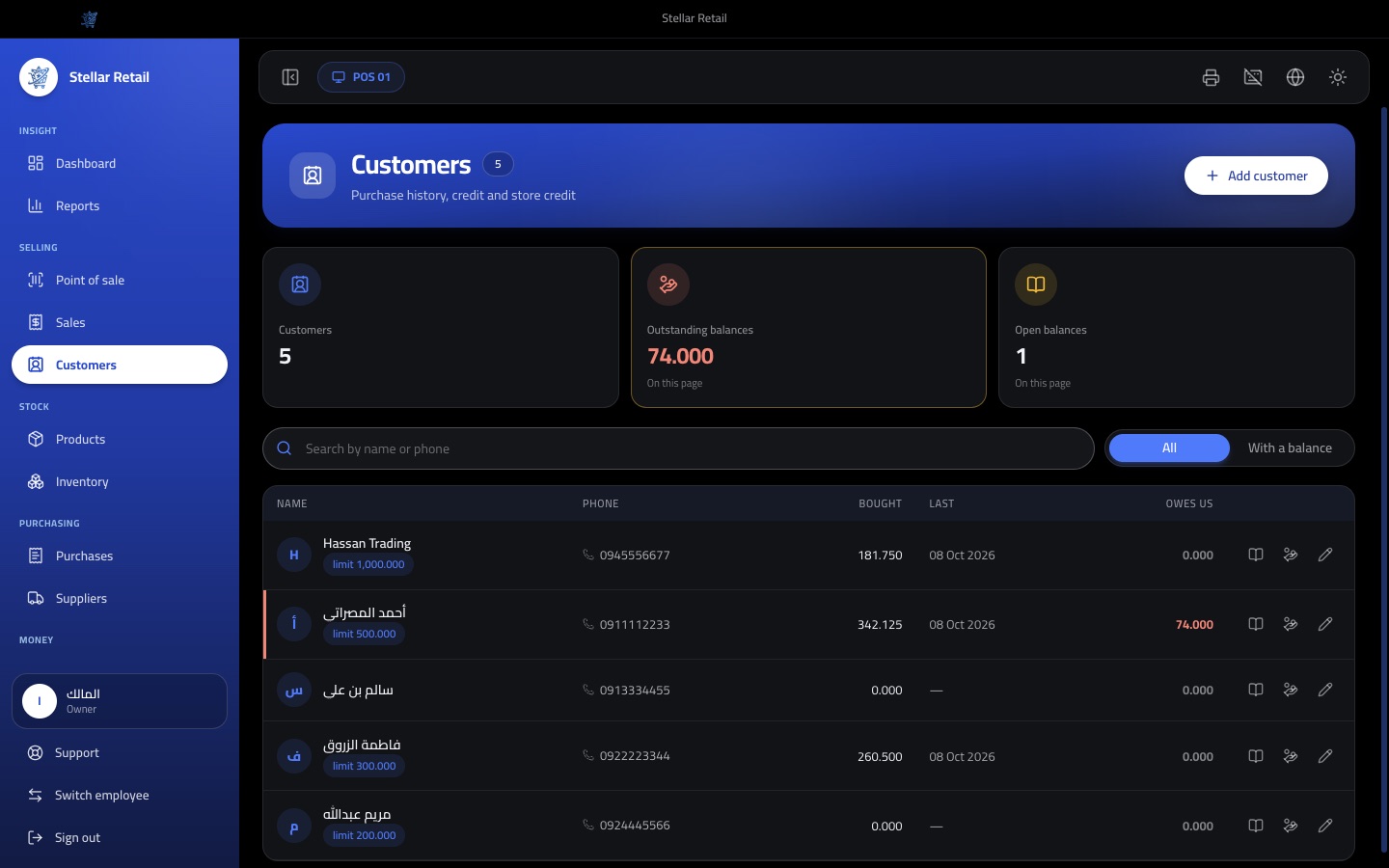
- Customer cards with phone, address, tax number, notes and credit limit
- Sell on account up to the limit, with an On account payment method
- Receive customer payments in any enabled method
- Full statement per customer with sales, payments, returns and store credit
- Store credit from returns, usable on later purchases
- Outstanding balances list with a With a balance filter
- Purchase history and last visit on every customer
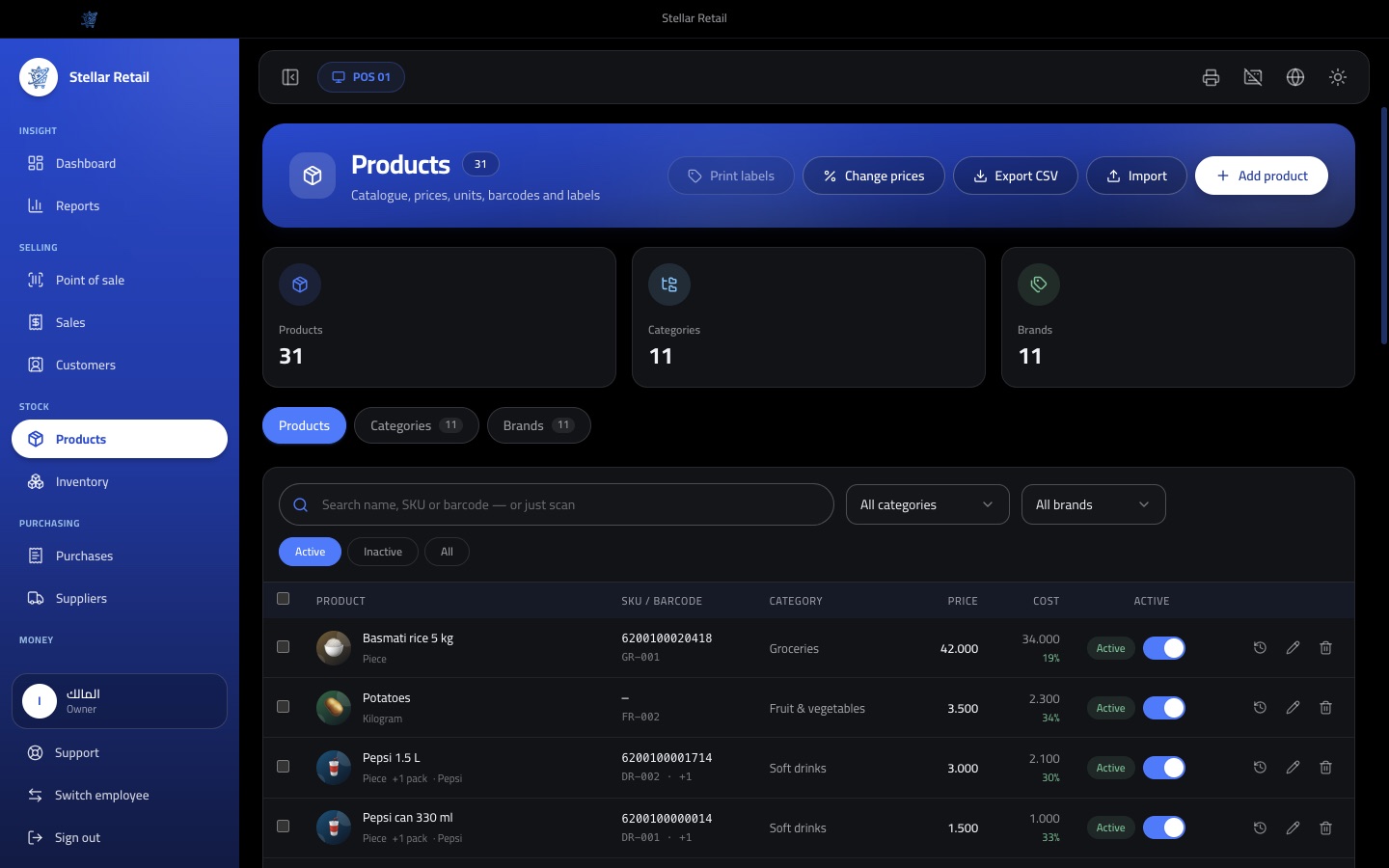
Catalogue and barcodes
- Products with Arabic and English names, SKU, category, brand, image and active flag
- Many barcodes per product, with a check-digit warning and duplicate detection
- Generate internal EAN-13 barcodes for products that have none
- Packaging units such as cartons, each with a conversion factor, its own barcode and its own price
- Weighed items by kilogram or any fractional unit, with a scale PLU code
- Bulk price change by percent or amount, skipping rows that would go below the minimum price
- Price history per product, and CSV import and export
- Print barcode and price labels in 40x25 or 50x30 sizes
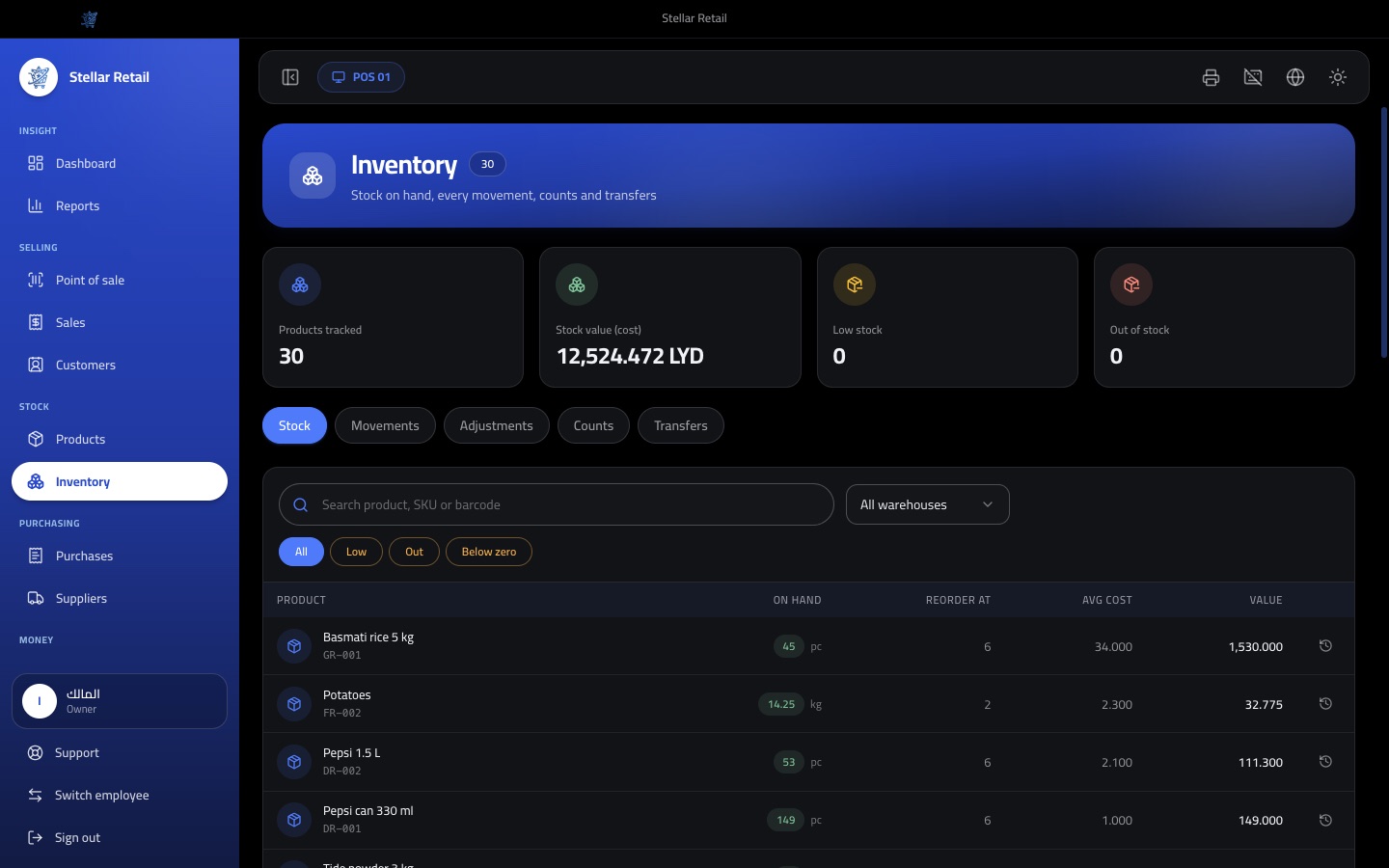
Inventory and stock control
- Stock on hand per warehouse, with low stock, out of stock and below-zero filters
- Stores, back stores and warehouses, with stock tracked in each
- Every movement recorded: purchase, sale, return, adjustment, damage, count and transfer
- Opening stock, adjustments and damaged stock with reason codes, and manager approval above a set value
- Reverse an adjustment with an exact opposite posting
- Stock counts by scanning, with optional blind counts and filters by category or brand
- Transfers between warehouses
- Moving average cost, an optional rule for selling below zero, and an inventory integrity check
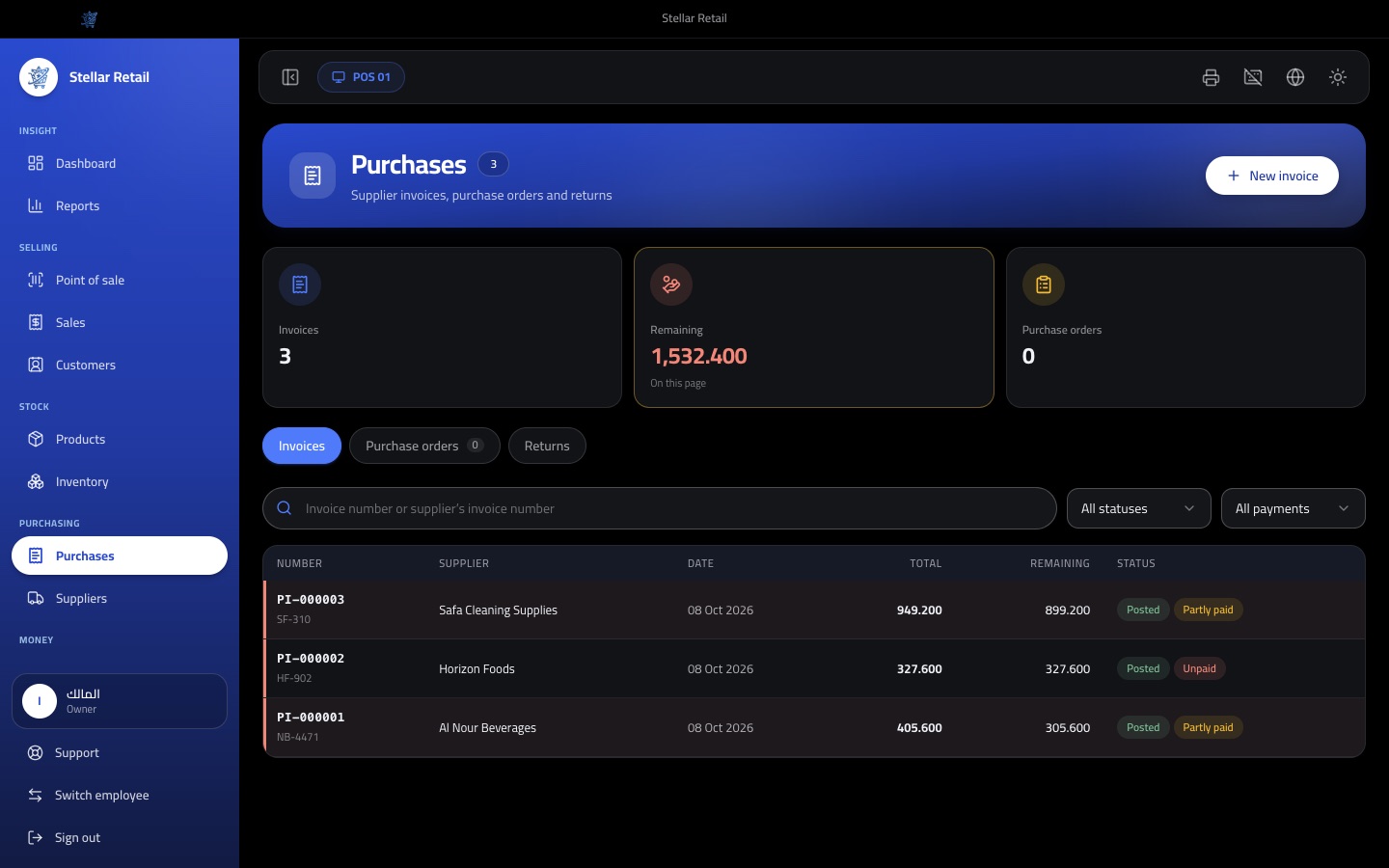
Purchasing and suppliers
- Supplier cards with contact, payment terms and an opening balance
- Purchase orders you can receive later as an invoice
- Purchase invoices with line discounts, an invoice discount and extra landed costs
- Update the selling price while posting an invoice
- Pay on posting, partly or in full, and leave the rest as supplier credit
- Pay suppliers later in any method, with a statement per supplier
- Return goods to a supplier and deduct them from the balance or take a refund
- Reverse a posted invoice, which leaves an audit trail instead of deleting it
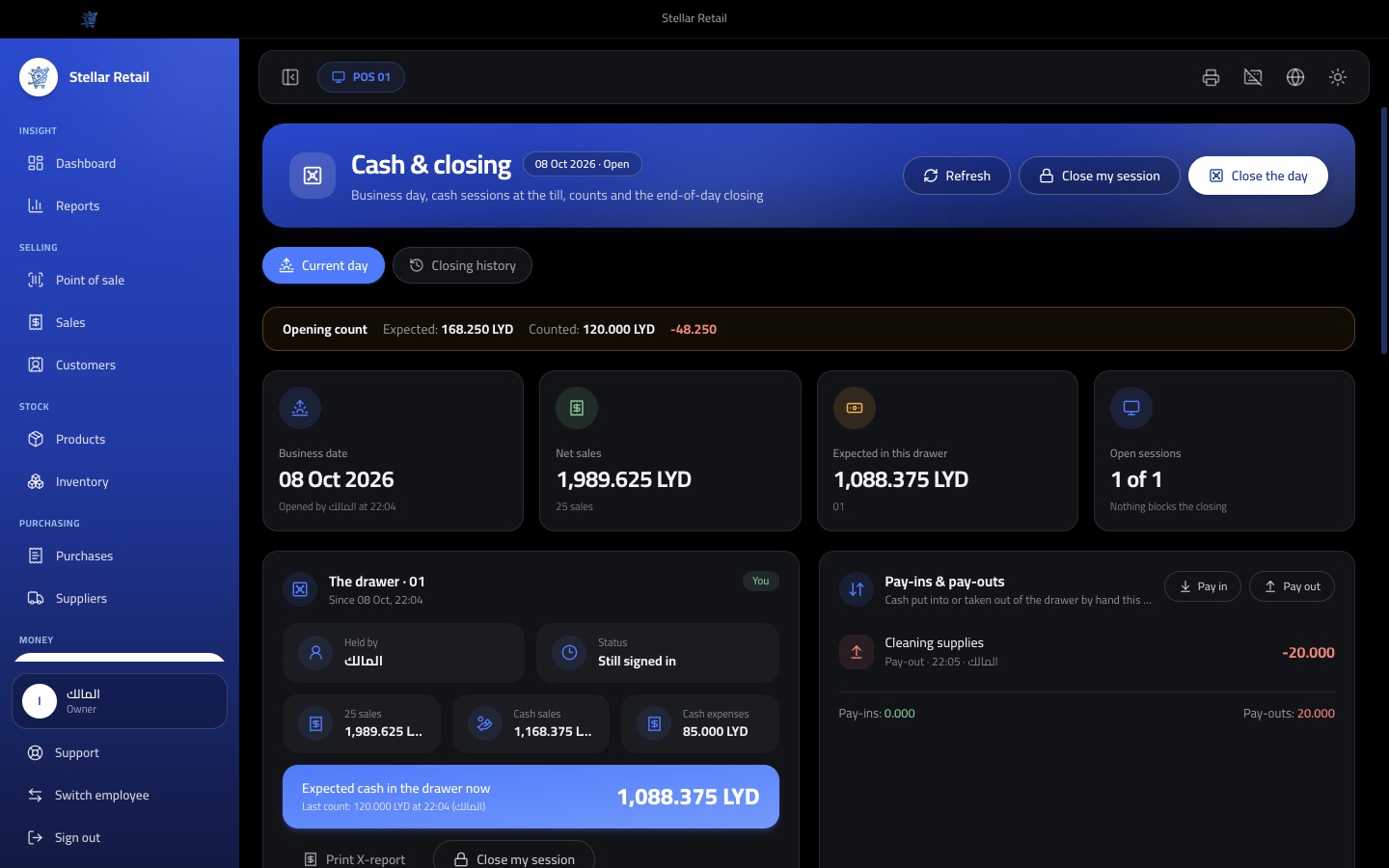
Cash, expenses and day closing
- Open the business day with a counted drawer, compared with what the last closing left
- Cash sessions per till, started and closed by counting the drawer, with notes and coins counting
- Take over the drawer from the previous employee, with any difference charged to the person who held it
- Sign out or switch employee without losing the open session
- Pay-ins and pay-outs with reasons, and expenses paid from the drawer
- Expenses by category with a receipt photo, paid in cash, card or transfer
- X-report during the day and a Z-report at closing, printed or exported as PDF
- Closing history with versions, and an audited reopen that keeps the earlier version
Reports, dashboard and printing
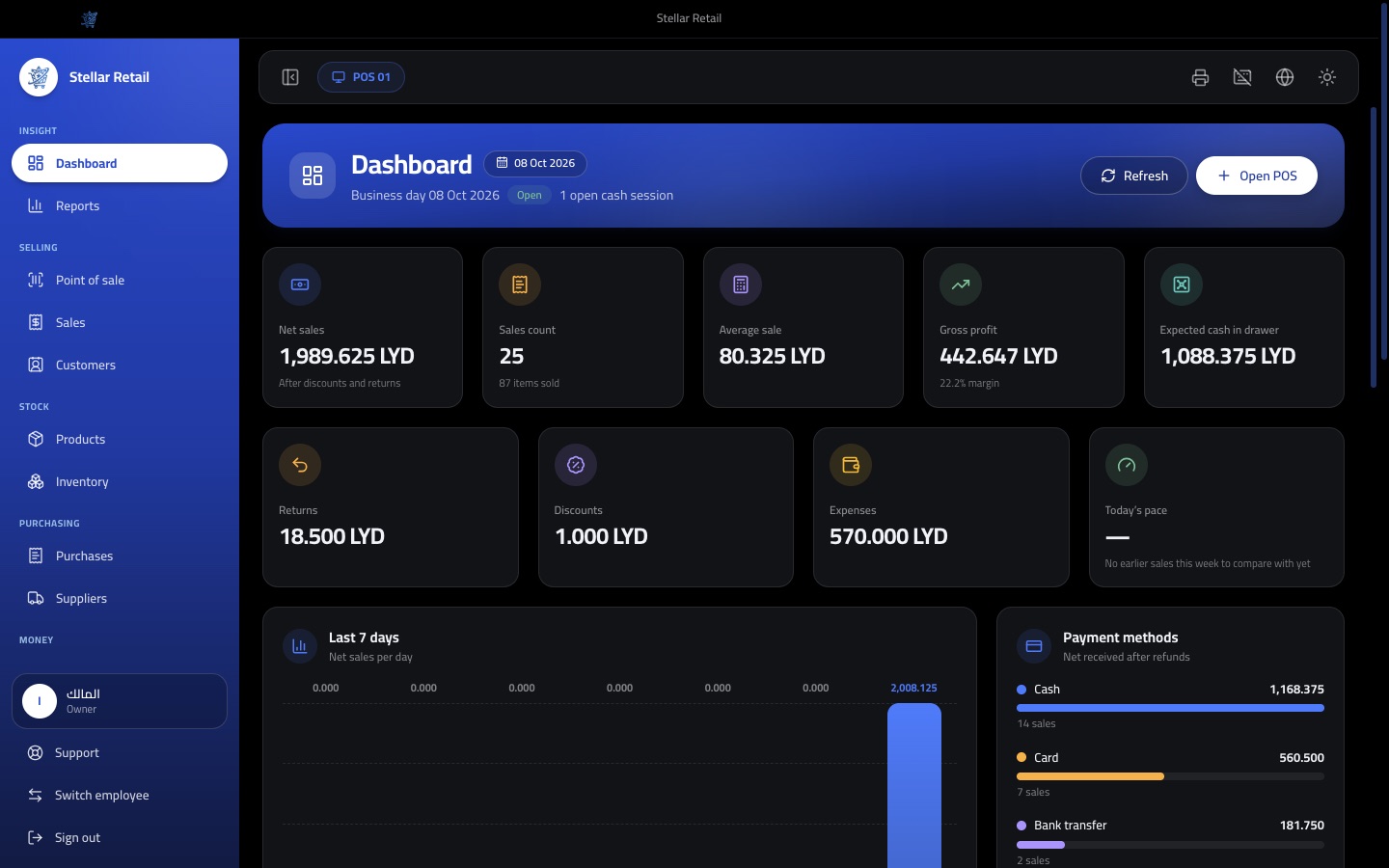
- Dashboard with net sales, profit, average sale, expected cash, returns, discounts, expenses and a 7-day chart
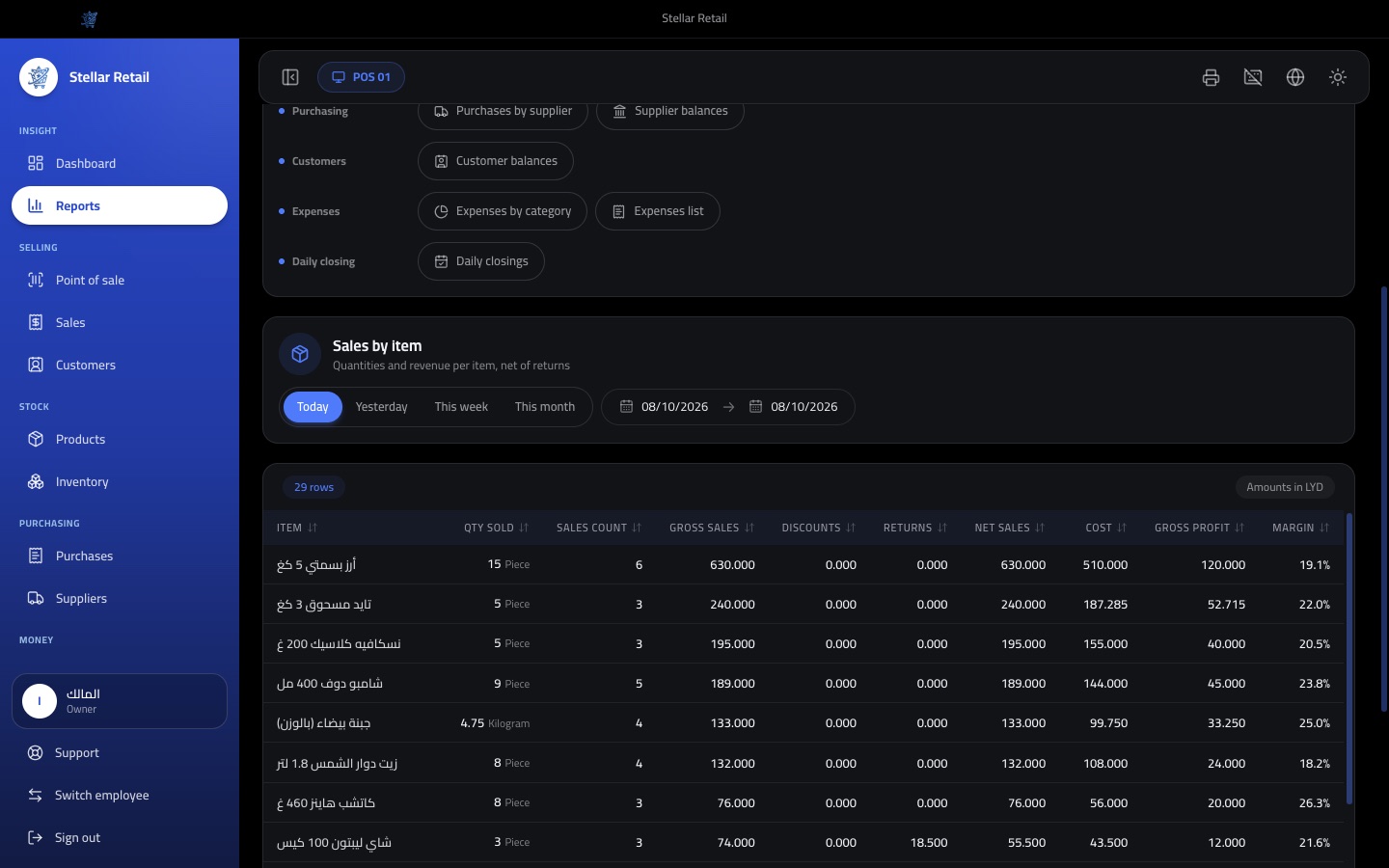
- 19 reports: daily sales, by item, category, brand, cashier, payment method and till, returns, profit by item
- Stock valuation, low stock, dead stock and waste and stock differences
- Purchases by supplier, supplier balances and customer balances
- Expenses by category, expenses list and daily closings
- Pick any period, then export to CSV or print on A4 or the receipt printer
- Receipt printing in Arabic, English or both, with logo, header, footer and a sale barcode
- Thermal 58 or 80 mm printers by OS driver or network ESC/POS, with cash drawer kick
Staff, security and settings
- Staff accounts with a quick PIN for fast switching and manager approval
- Owner, manager, cashier and inventory manager roles, plus custom roles
- 59 permissions, from discount limits to restoring a backup
- Audit log of important actions with who, when and what changed
- Store profile, currency and decimals, payment methods, reason codes, units and numbering
- Several tills and warehouses, with gap-free document numbers per till
- Manual backup and automatic daily backup to a folder you choose, with a safety copy before any restore
- Per-device licence activated offline, which turns read-only after expiry and never deletes data
Get this system for your business
Talk to us about pricing, a live demo and setup for your business.
Contact SaaStellarGood to know
- Works fully offline, with data stored on your computer
- Arabic (RTL) and English, in dark and light themes
- Desktop app for Windows, macOS and Linux
- Receipt, label and A4 report printing, with USB or network printers
- Roles, permissions and an audit log
- Daily automatic backups and one-click restore