
Stellar Rx
Stellar Rx runs a pharmacy end to end on one computer: a scan-first point of sale, batch and expiry tracking with FEFO dispensing, and supplier purchasing with payments. It works fully offline, keeps every change on record, and ships in Arabic and English.
63+ more features
Why it stands out
Batches and expiry
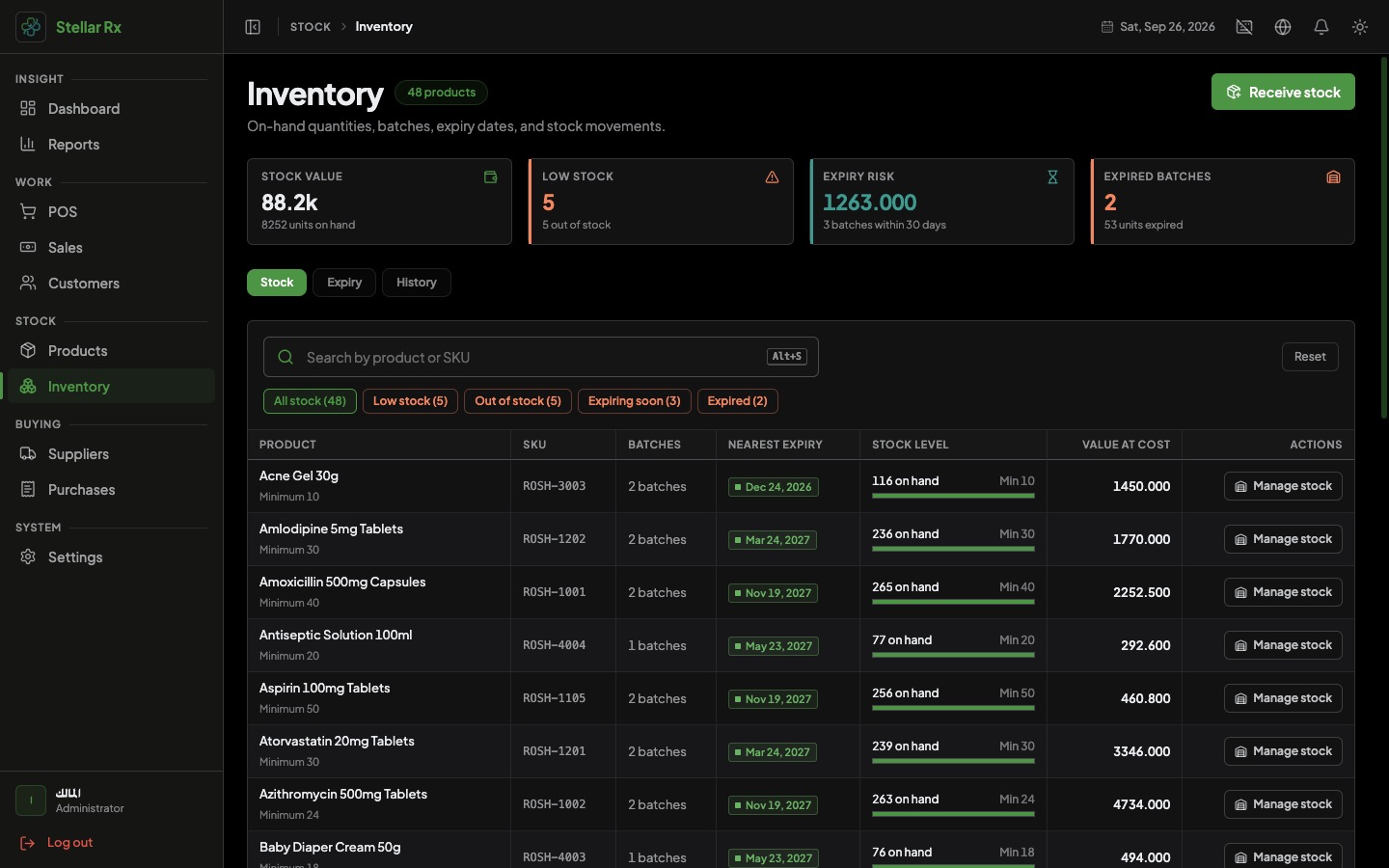
Every unit of stock belongs to a batch with its own expiry date, cost and quantity.
FEFO dispensing
Sales automatically draw from the batch that expires first, and each sale records which batches it used.
Scan-first POS
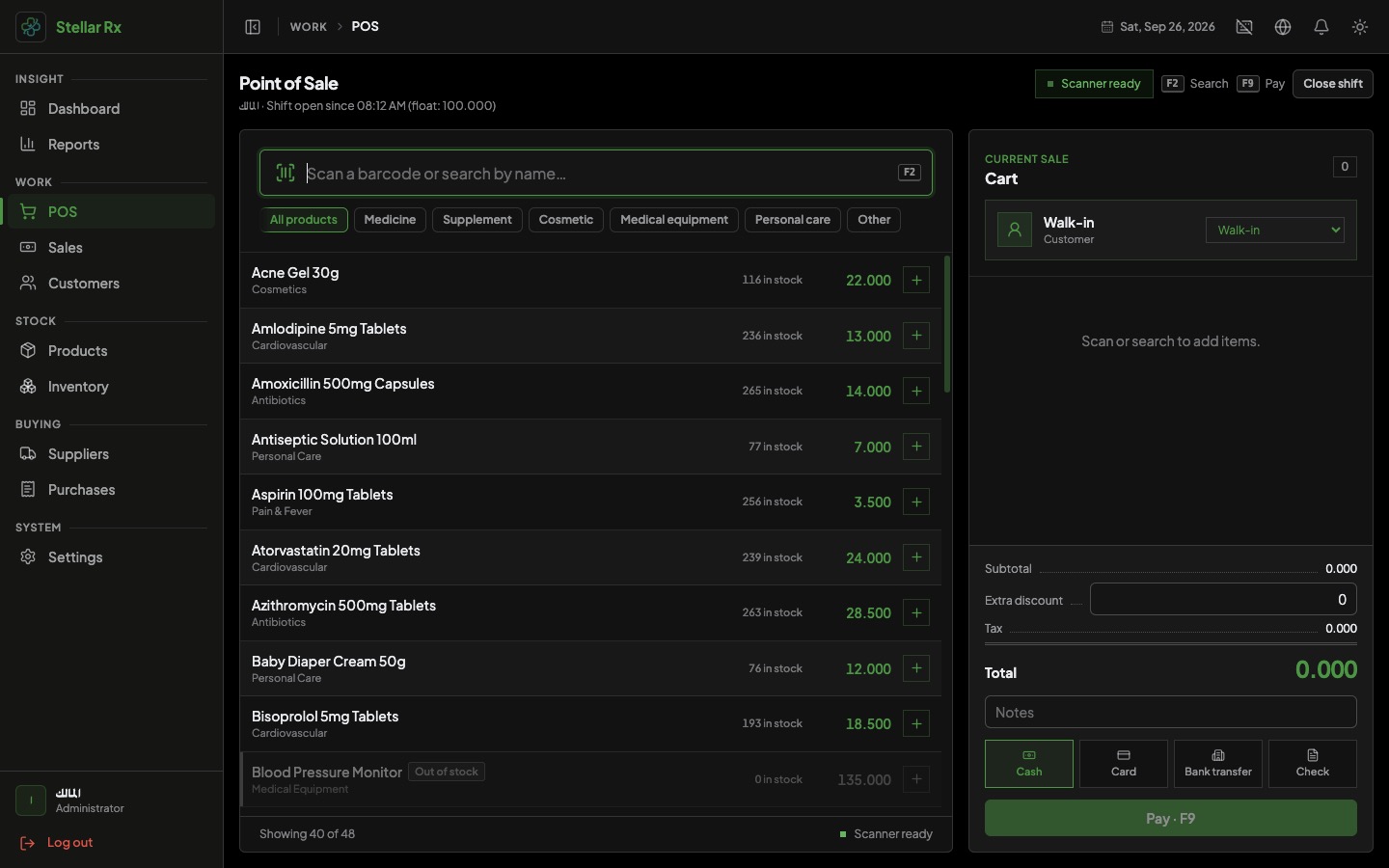
Scan a barcode or search by name, split payments across methods and print the receipt in a few keystrokes.
Purchasing and supplier balances
Confirm supplier invoices, receive batches into stock and track what you still owe each supplier.
Cash shifts
Open a shift with a float, close it by counting the drawer and see the variance per cashier.
Offline and private
All data stays in a local database on your computer, with one-click backups and safe restore.
Inside the app
Everything it can do
Point of sale
- Search or scan barcodes in one bar, with the scanner ready at all times
- Cart with editable quantity, unit price and per-line discount percent
- Extra discount on the whole sale
- Optional customer on each sale, or walk-in
- Keyboard shortcuts: F2 to search, F9 to pay, Ctrl+Backspace to remove a line
- Out-of-stock and inactive products are blocked from being sold
- Minimum selling price is enforced so a line cannot be sold below it
Payments and receipts
- Cash, card, bank transfer, check and other payment methods
- Split a single sale across several methods with exact-total checking
- Cash tendered and change calculation
- Receipt printing through the system print dialog on any installed printer
- Reprint any receipt later from the sales history
- Detected printers listed in Settings
Products and catalog
- Product types: medicine, supplement, cosmetic, medical equipment, personal care and other
- Arabic and English names, SKU, description, category and manufacturer
- Purchase, selling, wholesale and minimum selling prices
- Tax rate per product, plus minimum and maximum stock levels
- Multiple barcodes per product with a primary barcode (EAN-13, EAN-8, UPC-A, Code 128, Code 39, QR)
- Scan an unknown barcode and create the product right away
- Manage categories and manufacturers, with activate and deactivate
Inventory, batches and expiry
- Stock overview with low-stock, out-of-stock, expiring and expired filters
- Batches with batch number, expiry date, purchase cost and optional selling price override
- Receive stock and adjust a batch up or down with a note
- Expiry view for expired and soon-to-expire batches, with a configurable warning window
- Full stock movement history: opening stock, adjustments, purchase receipts and sales
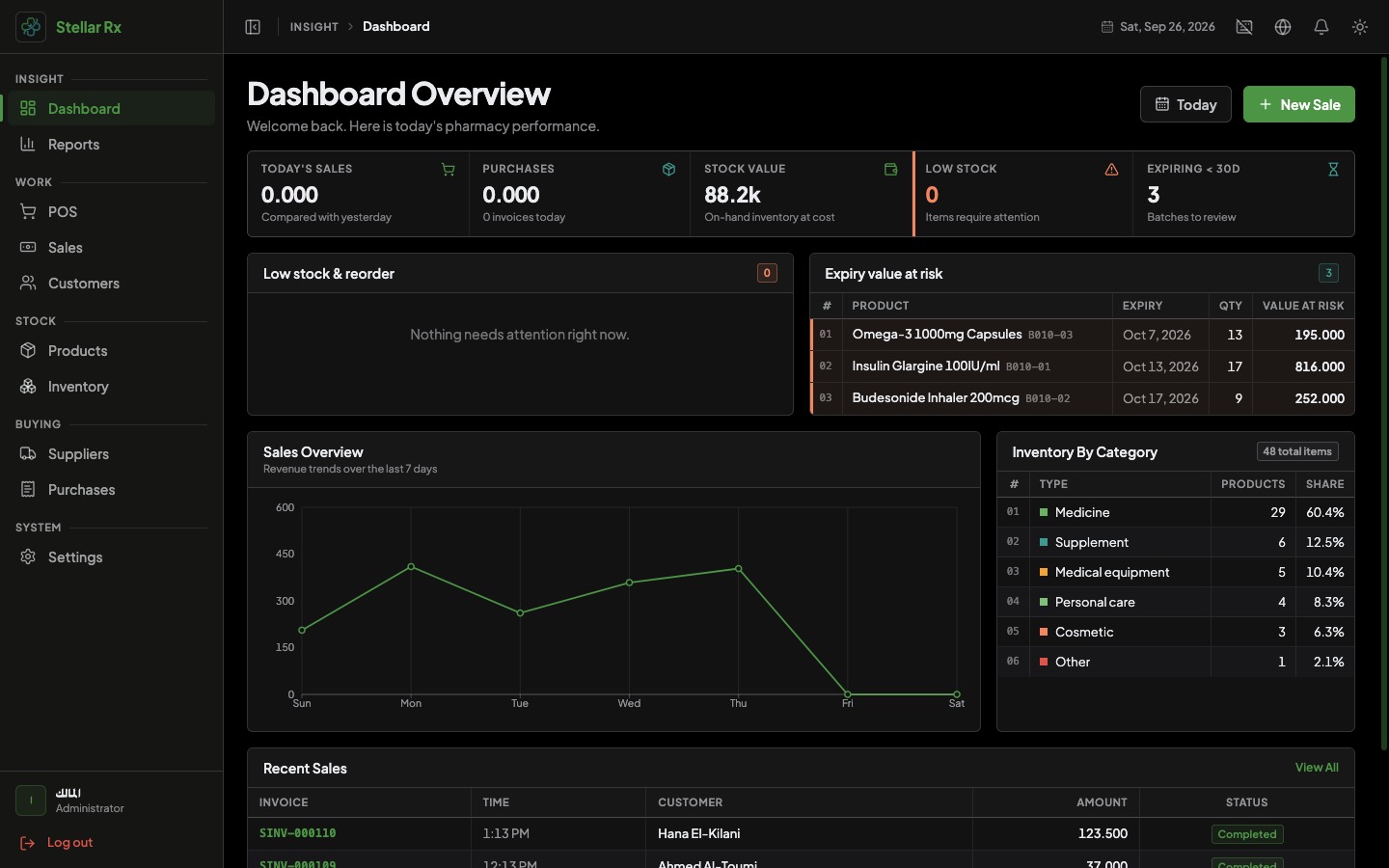
- Stock value and expiry-risk indicators
- FEFO allocation for every sale, kept as a batch-level record
Purchasing and suppliers
- Supplier directory with active and inactive status
- Purchase invoices with line quantity, cost, discount, tax, batch number and expiry
- Optionally update the product price from the purchase line
- Confirming a purchase receives the batches into stock in one step
- Record an initial payment or later payments by cash, bank transfer, check or card
- Open balances, unpaid invoices and highest-spend suppliers at a glance
- Supplier statement with the full invoice and payment history
- Cancel a purchase invoice or single lines, with a reason and safeguards
Sales history and cash shifts
- Customer list with name, phone and notes
- Sales history with search, date range, customer and cashier filters
- Cancel a sale with a required reason, which restores stock
- Start a shift with an opening cash float
- Close by counting the drawer: expected cash, counted cash and variance
- Shift history for admins with shortages highlighted
Reports
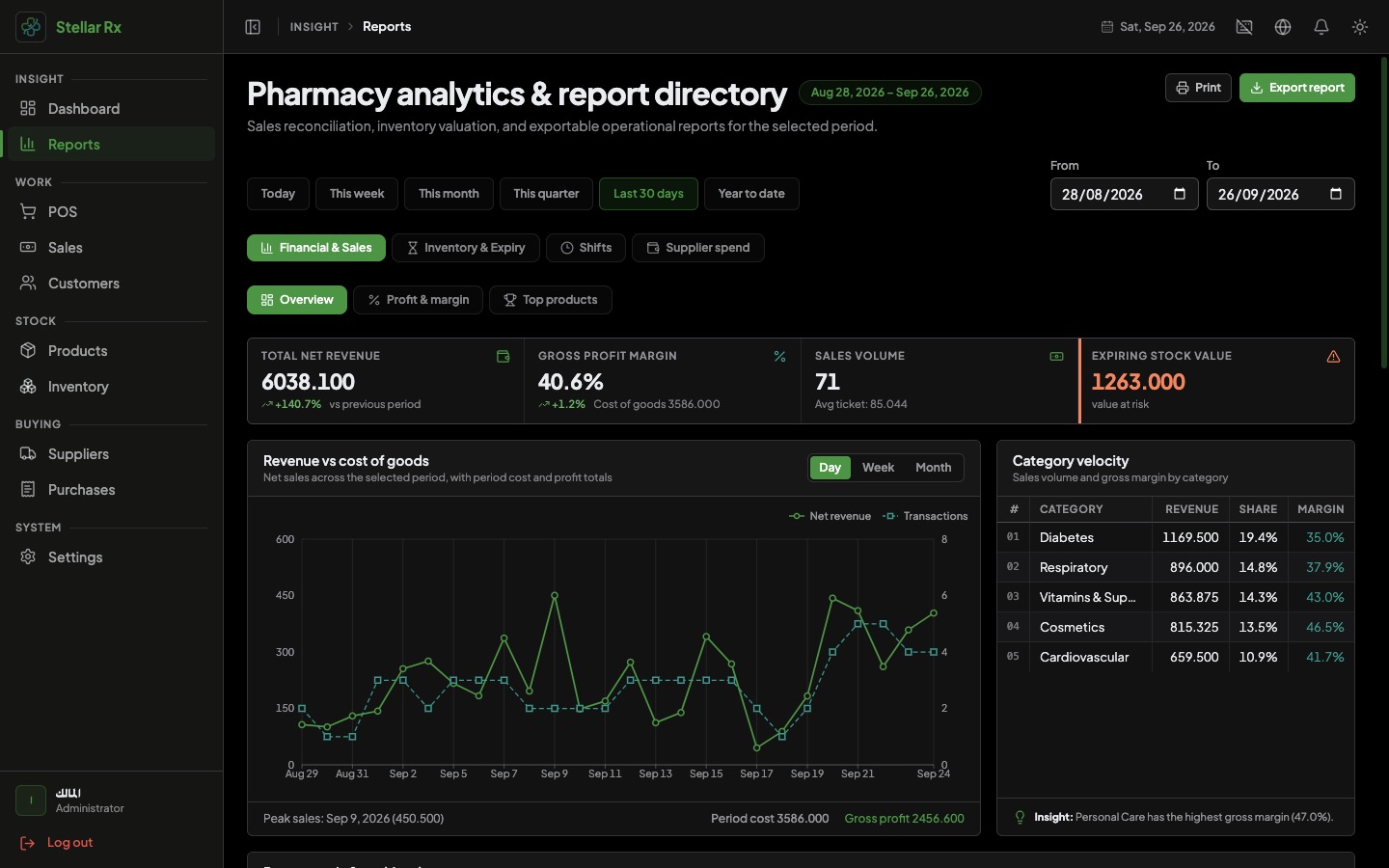
- Sales summary with revenue, transactions, average basket, payment mix and cashier share
- Profit and margin by product or category
- Inventory valuation at cost
- Low stock and reorder insights based on recent sales velocity
- Top products by revenue or quantity
- Expiry value at risk
- Supplier spend by period and cashier shift report
- Print supported on the main reports and CSV export for admins
Users, security and settings
- Administrator and cashier roles with different permissions
- Cashiers can sell, view products and customers and manage their own shift
- Admins control products, inventory, purchasing, reports, staff and settings
- Staff accounts can be created, deactivated and deleted, with password change
- Passwords are stored hashed and sign-in sessions expire
- Recorded actions feed the dashboard activity list
- Pharmacy name and logo shown on receipts and the sidebar
- Optional on-screen touch keyboard for touch stations
Backup, language and appearance
- One-click backup to your computer or a drive you choose
- Automatic daily backup with the newest 7 kept
- Restore with a version check and confirmation, then a safe restart
- Arabic and English interface with full right-to-left layout
- Dark and light themes
- Dashboard with sales today, stock totals, sales chart, recent sales and recent activity
Get this system for your business
Talk to us about pricing, a live demo and setup for your business.
Contact SaaStellarGood to know
- Works fully offline
- Arabic and English, right-to-left ready
- Windows, macOS and Linux installers
- Dark and light themes
- Admin and cashier roles
- One-click and automatic backups