
Stellar Serve
Stellar Serve is an offline-first restaurant point of sale with dine-in tables, takeaway, kitchen tickets and an exact cash drawer. It handles the full day from the first order to the closing count, with expenses, reports and a complete audit trail. Everything runs on your own computer in Arabic or English, with no internet needed.
70+ more features
Why it stands out
Fast touch POS
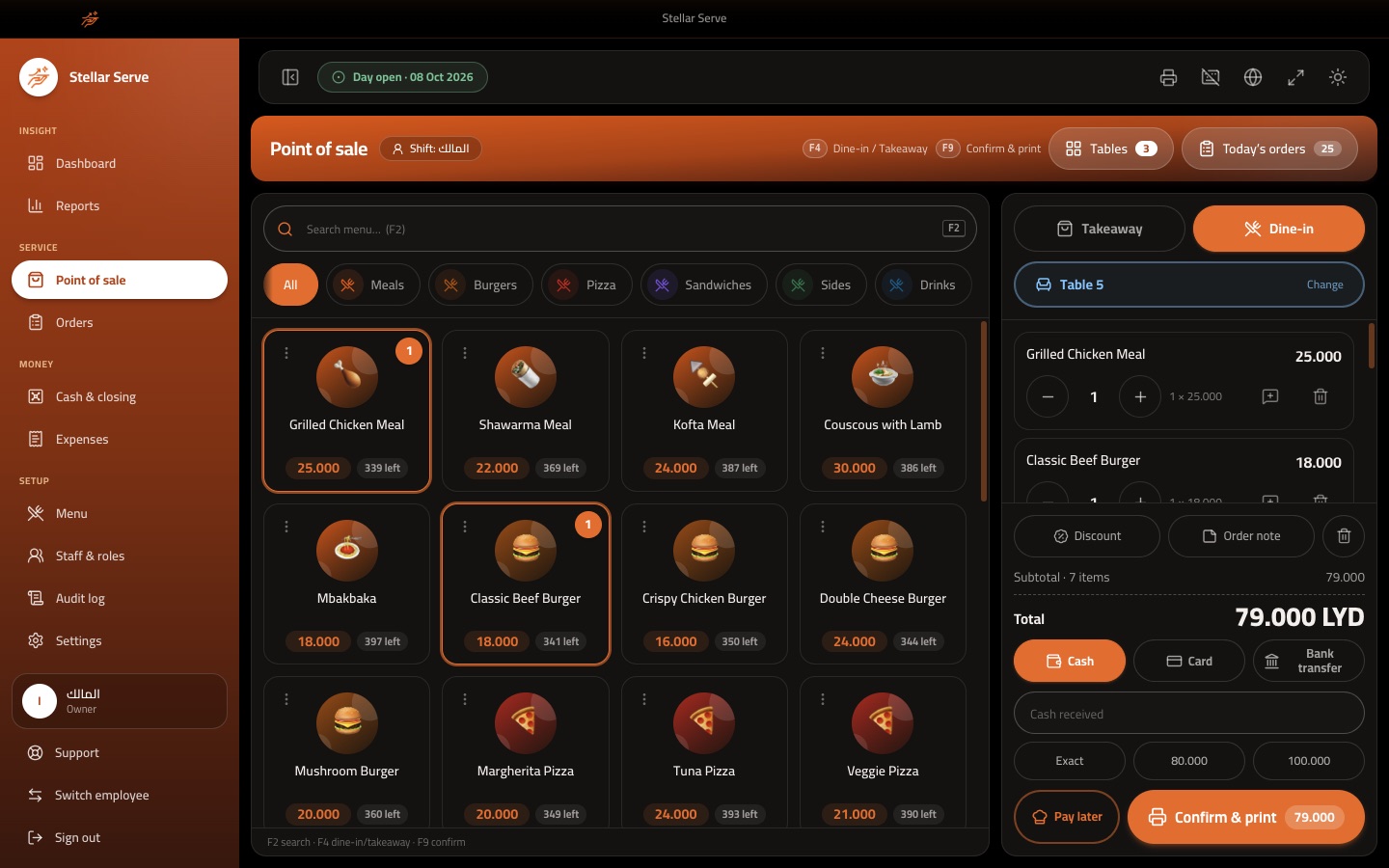
Pick a category, tap items, choose dine-in or takeaway and confirm with one key, with F2, F4 and F9 shortcuts for the keyboard.
Tables and pay later
Send a table's order to the kitchen, add more rounds as guests keep ordering, and settle the bill at the end.
One order, two slips
The customer receipt and the kitchen ticket share the same order number and print on one printer or on two separate printers.
Exact cash drawer
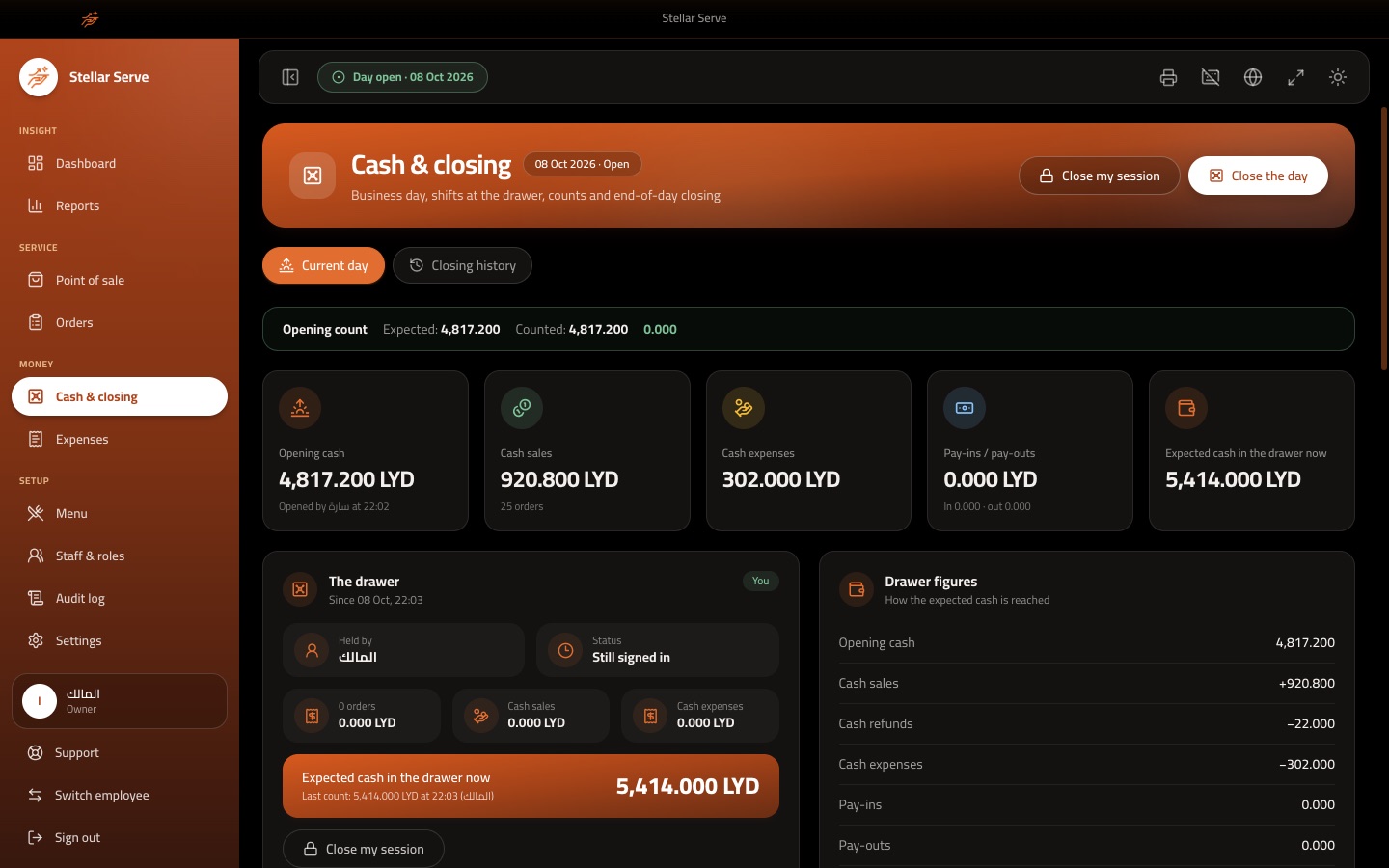
Open the day with a counted drawer, record pay-ins and pay-outs, and close with a denomination count that shows any shortage or surplus.
Shifts and handover
Every cashier works in their own cash session and hands the drawer over with a count, so a difference is always charged to the right person.
Reports and control
Sales, item quantities, stock, expenses, profit estimate and cashier reports, backed by granular permissions and a full audit log.
Inside the app
Everything it can do
Point of sale
- Category tabs, item search and large touch-friendly item tiles with photos
- Dine-in or takeaway orders, with a table picker for dine-in
- Quantity buttons, per-line notes and an order note for the kitchen
- Keyboard shortcuts: F2 search, F4 dine-in or takeaway, F9 confirm and print
- Cash received box with Exact and quick amount buttons and automatic change
- Mark an item sold out or available again straight from the POS
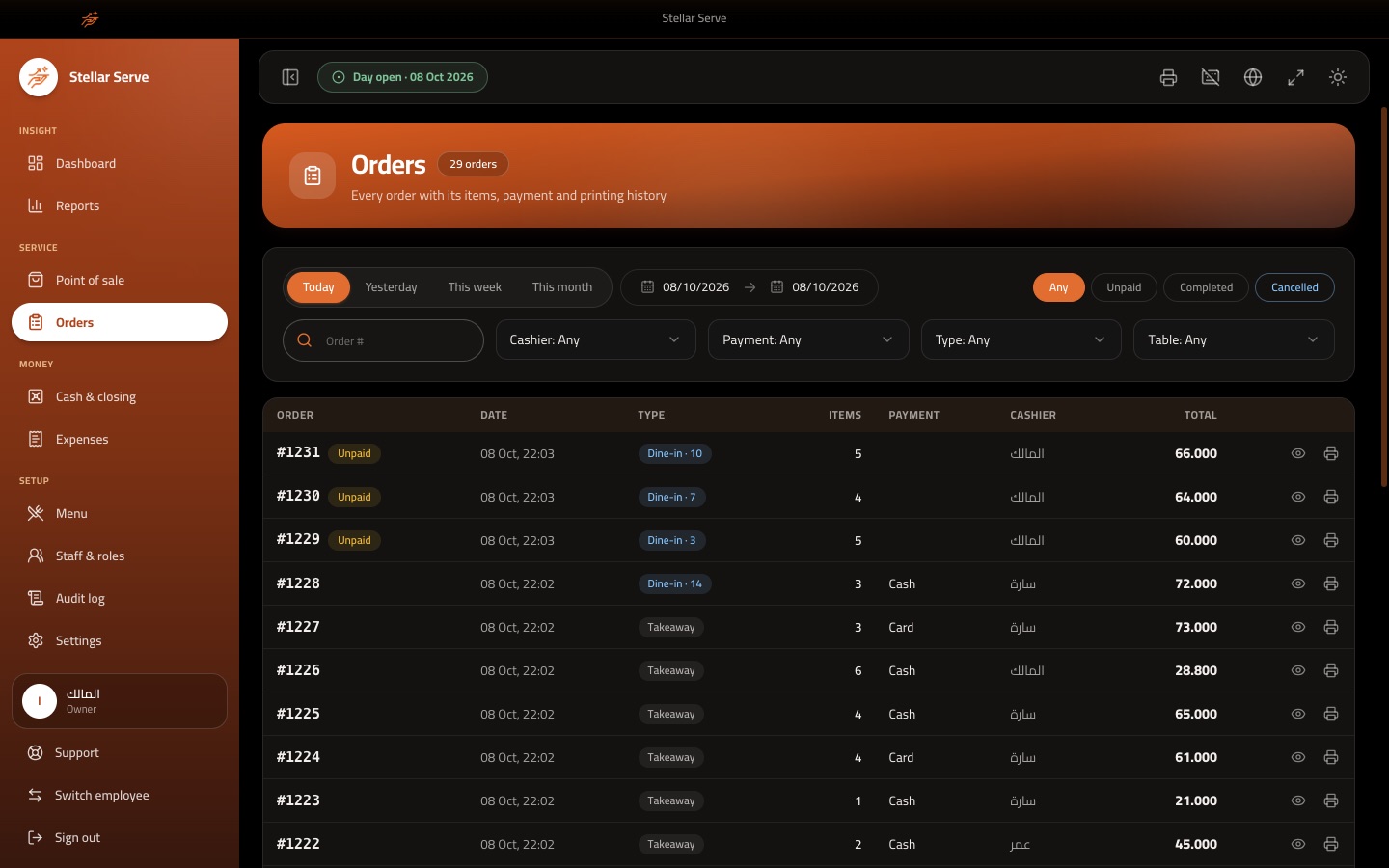
- Today's orders drawer to reprint a receipt or kitchen ticket or cancel an order
- Optional on-screen touch keyboard for tills without a physical keyboard
Tables and kitchen
- Add tables one by one or as a range such as 1 to 20, with a label and seat count
- Pay later: send a dine-in order to the kitchen now and take payment at the end
- Add more items to an open table as a new kitchen round
- Unpaid orders are flagged in the orders list and filtered with one click
- Kitchen ticket printed automatically when an order is confirmed
- Sell an item in portions such as whole, half and quarter, each with its own price
- Portion report showing what was received, sold, corrected and what remains
Pricing, discounts and payments
- Percentage or fixed-amount discount on the whole order, with a reason
- A cashier discount limit; going above it needs a dedicated permission
- Optional tax with a configurable rate, shown on the receipt
- Cash, card and bank transfer out of the box, and you can add your own methods
- Choose per method whether it counts as cash in the drawer and where it is available
- Price history for every item, and cart prices refresh when the menu changes
- Configurable currency name, symbol and number of decimals
Menu and quantities
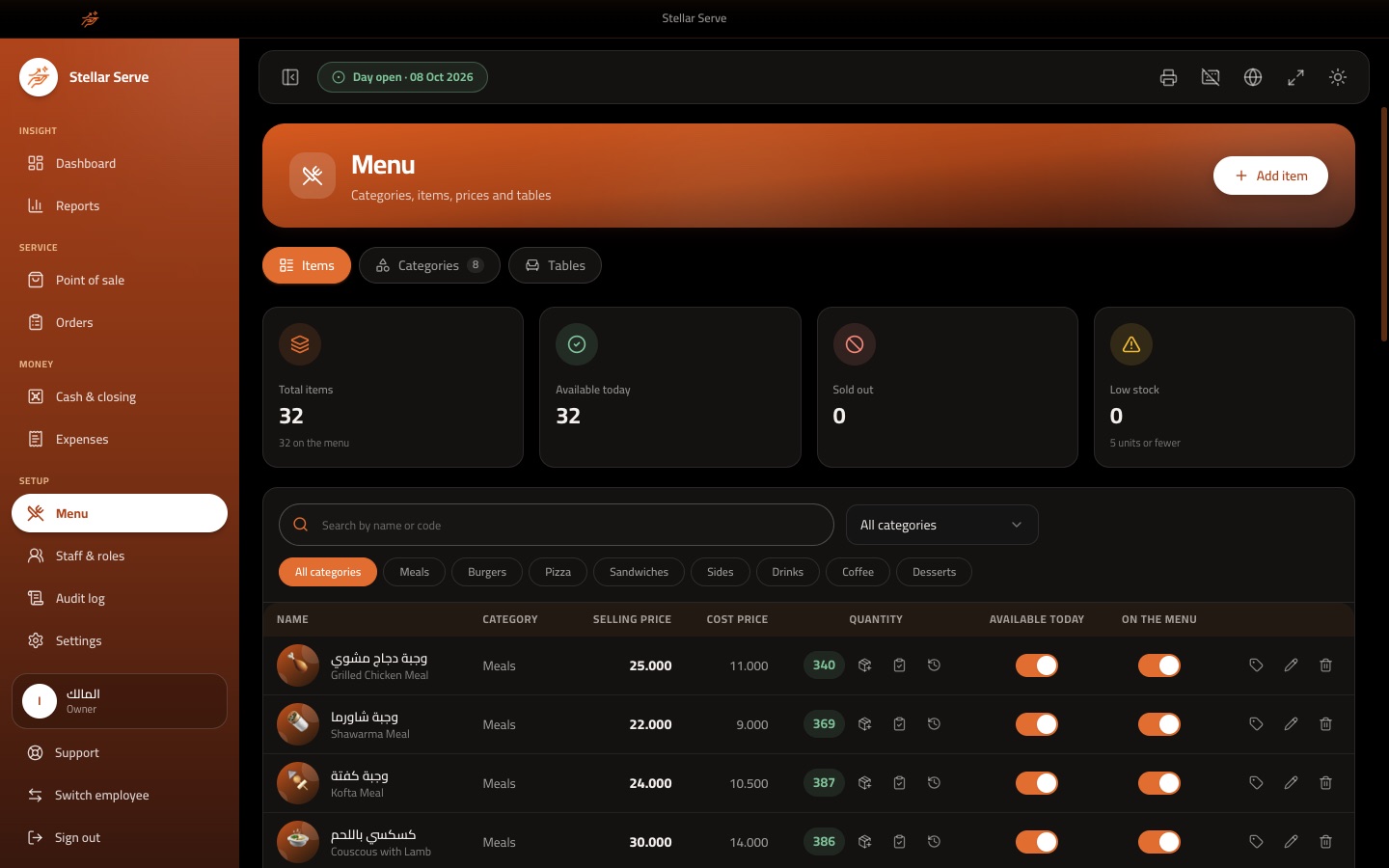
- Categories with colours and a custom order, and items with photo, code and description
- Selling price and cost price per item, with the margin shown on the list
- Track the quantity of any item; sales deduct it and the item is sold out at zero
- Add stock and correct a count with a reason, with a full history of every change
- Low-stock, sold-out and available counters at the top of the menu page
- Hide an item from the POS without deleting it
- Deleted items keep their name and price on past orders
Cash, shifts and daily closing
- Open the business day with the counted opening cash, compared with the previous carry-forward
- Pay-ins and pay-outs with a reason, attributed to the open session
- One cash session per cashier, and selling needs your own open session
- Handover: the incoming cashier counts the drawer and the outgoing session closes with its variance
- Close the day by counting banknotes by denomination, with the difference and its reason recorded
- Z report printed on the receipt printer or exported as a PDF
- Closing history with versions, and an audited reopen for the owner
- Closed days are locked against edits
Expenses
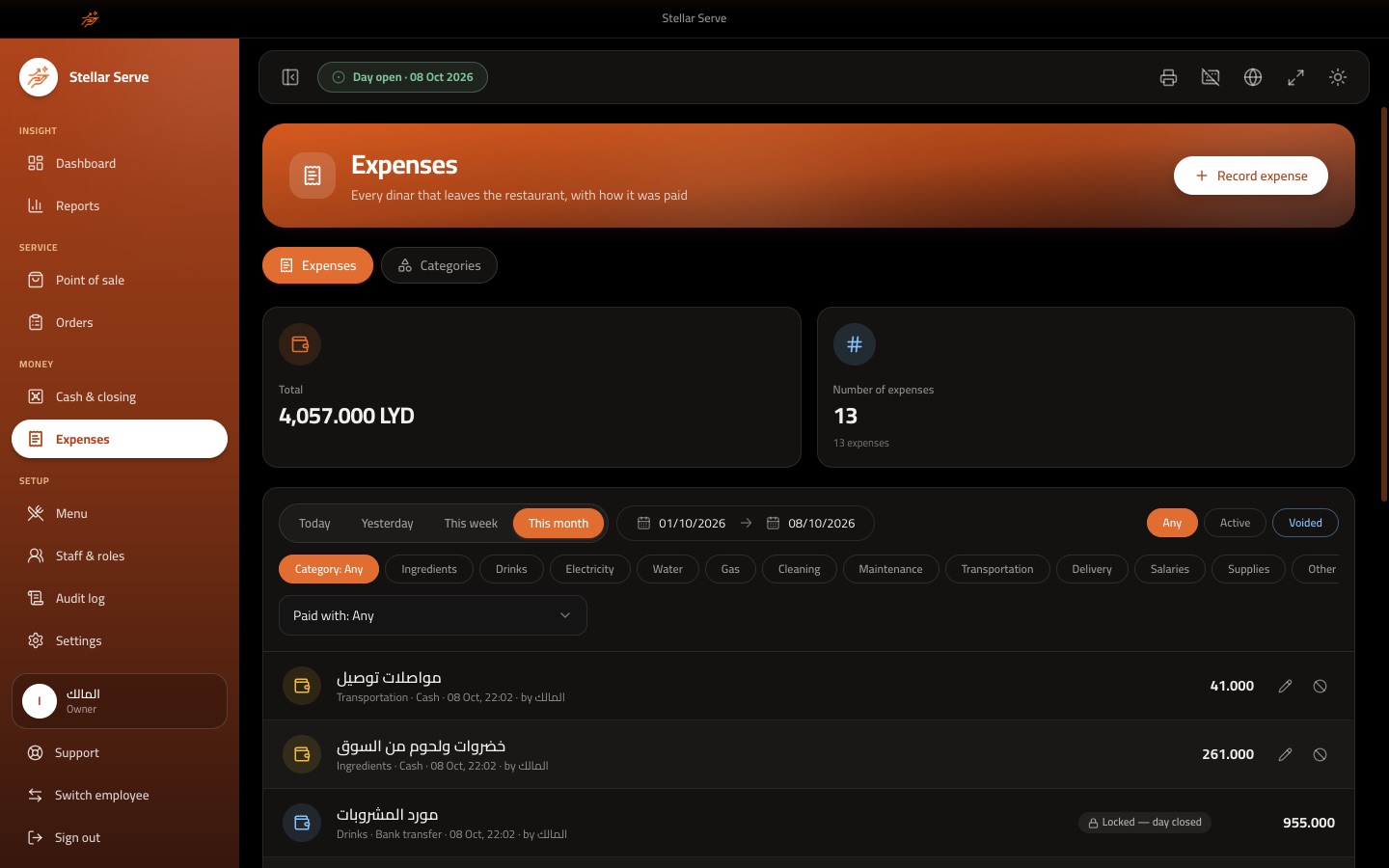
- Record expenses with an amount, category, description and payment method
- Cash expenses reduce the expected drawer cash; non-cash ones do not
- Editable expense categories such as ingredients, cleaning and transport
- Void an expense with a reason instead of deleting it
- Expenses of a closed day are locked
Reports and dashboard
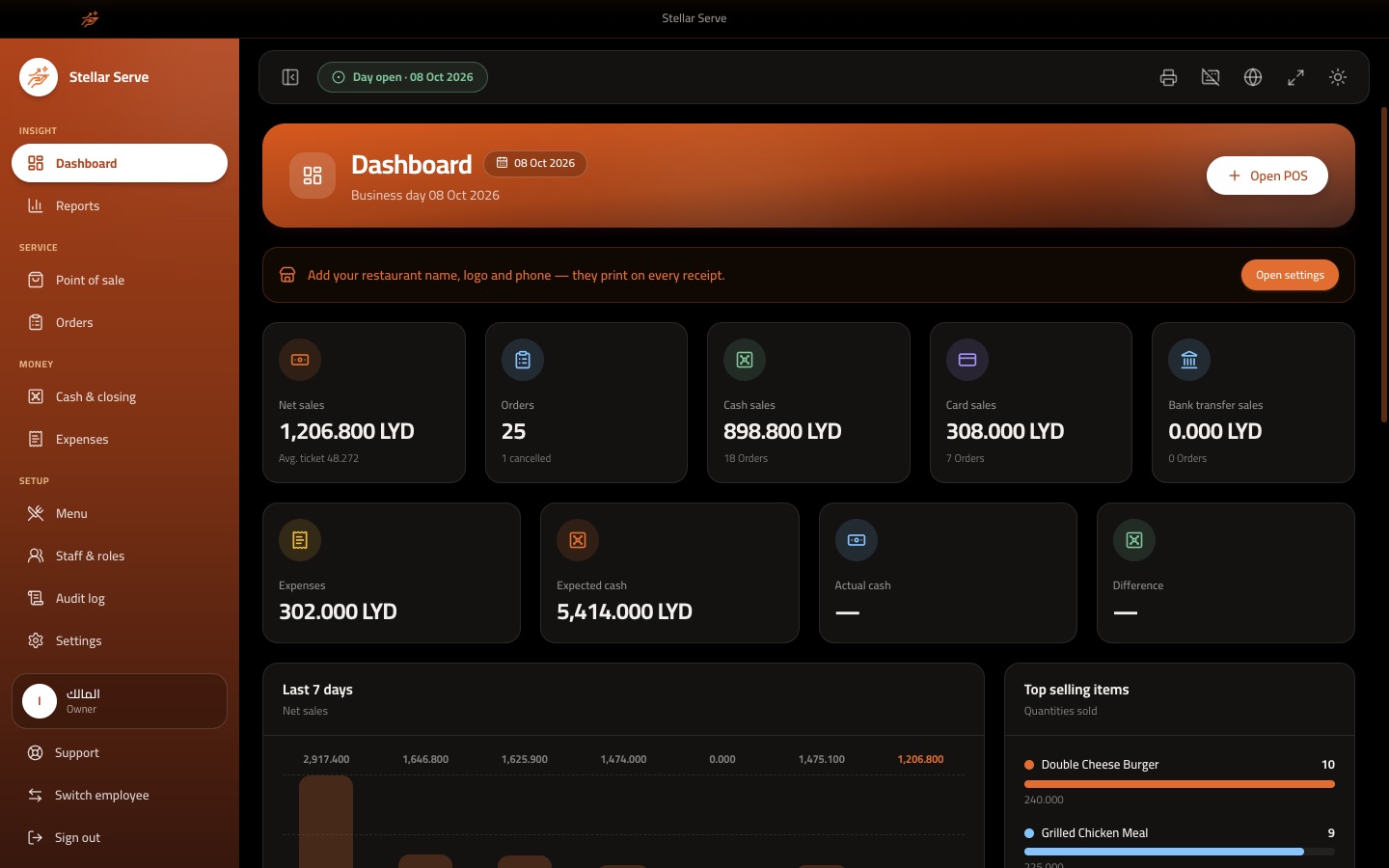
- Dashboard with net sales, orders, cash, card and transfer sales, expenses and expected cash
- Seven-day sales chart, top-selling items and recent orders
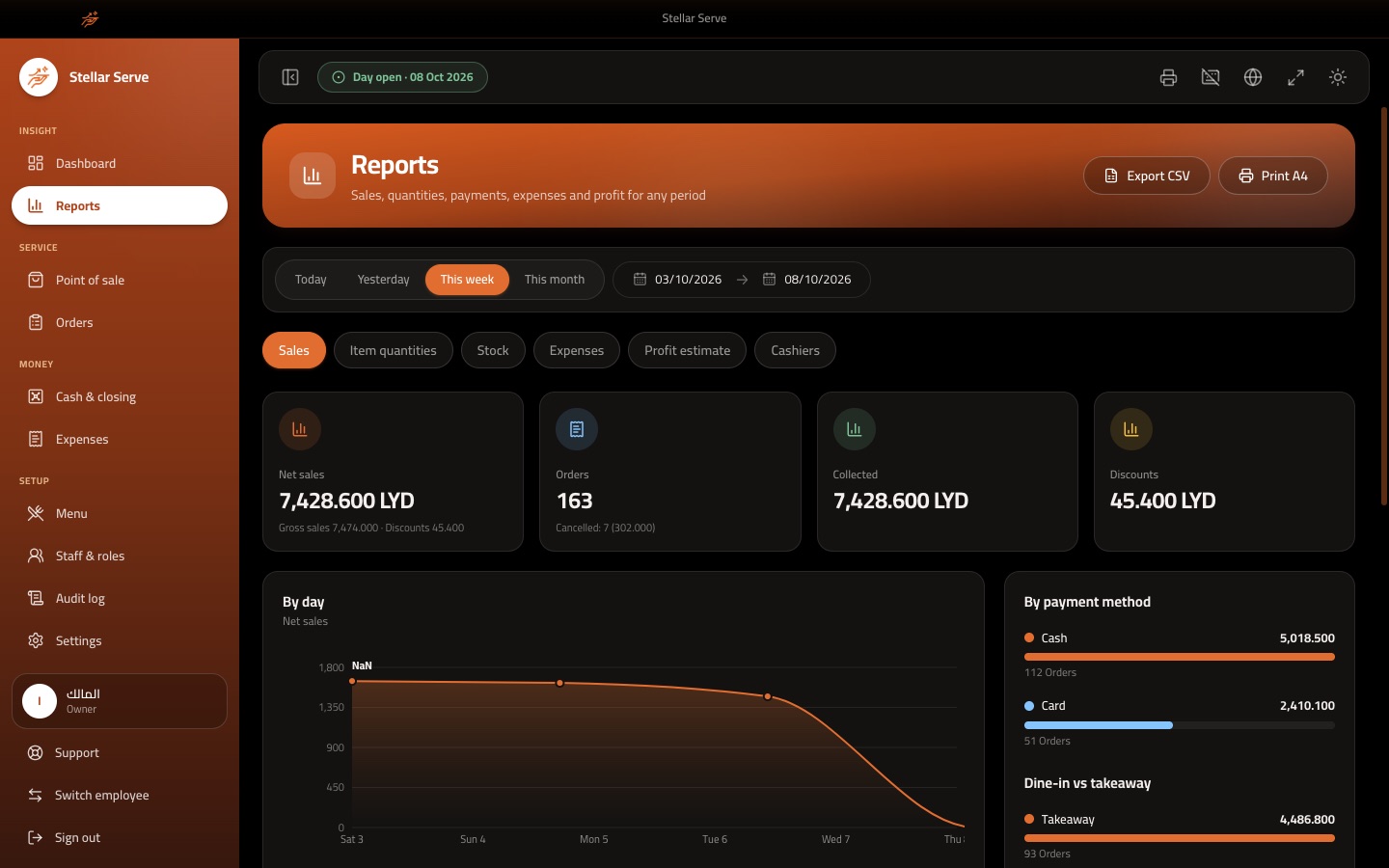
- Sales report by payment method, by day, dine-in versus takeaway and busiest hours
- Item quantities as a daily count sheet to compare with physical stock
- Stock report with added, sold, returned and corrected quantities
- Expenses report, profit estimate from cost prices, and a cashiers report
- Today, yesterday, this week, this month or any custom date range
- Export every report to CSV, print on A4 or on the receipt printer
Printing and receipts
- Three printing modes: no printer, one printer, or a kitchen printer plus a cashier printer
- One printer prints the kitchen ticket first and then the customer receipt
- Works with any USB or network printer installed on the computer
- Paper width, number of copies and automatic printing set per printer
- Ticket language in Arabic, English or both
- Restaurant name, logo, address, phone, header and thank-you footer on the receipt
- Preview and test print, and a retry list for failed print jobs
- Order numbers are unique and never reused, with an optional terminal code
Staff, roles and audit
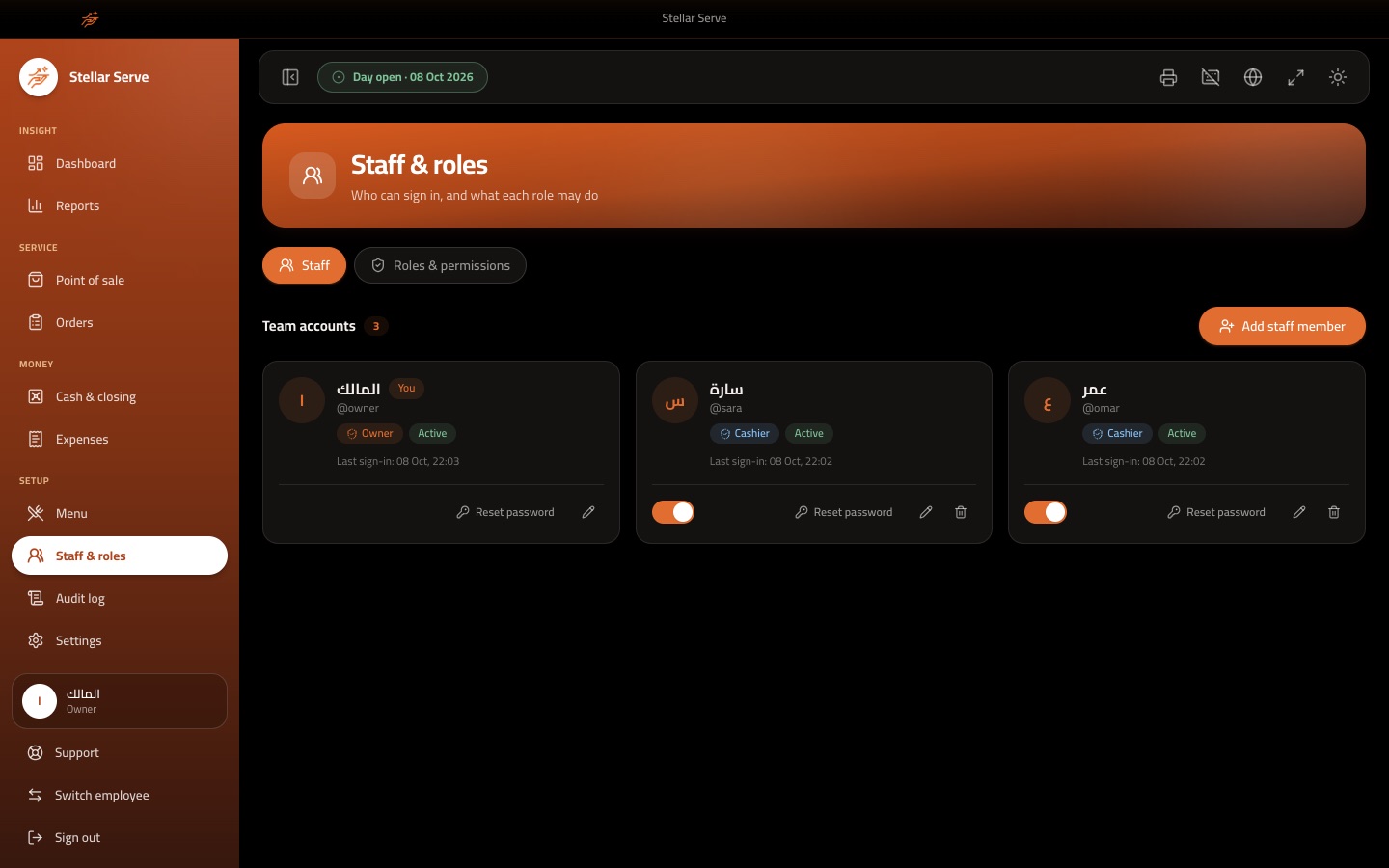
- User accounts with a role each, and quick switch employee
- Owner, admin and cashier roles, plus your own custom roles
- Over 30 granular permissions across sales, menu, cash, expenses, reports and administration
- Cashiers see only their own orders unless given permission to see all
- Audit log of who did what, with old and new values and filters by action type
- Owners can reset passwords and disable accounts
Settings, backup and licence
- Automatic daily backup to a folder you choose, plus manual backup on demand
- Restore from a backup with a safety copy taken first
- Arabic with right-to-left layout and English, switchable at any time
- Dark and light themes
- Per-device offline licence; an expired licence turns the app read-only and never deletes data
- Danger zone for the owner to clear the audit log, clear sales data or reset the app, each behind a password
Get this system for your business
Talk to us about pricing, a live demo and setup for your business.
Contact SaaStellarGood to know
- Works fully offline
- Arabic (RTL) and English
- Windows, macOS and Linux
- USB and network receipt and kitchen printers
- Roles, permissions and audit log
- Automatic daily backups
- Dark and light themes